Client Project/AI Software
Voxento — AI Communication, Transcription & Course Audio Modules AI Communication Case Study
Voxento was focused on AI-powered communication and intelligent audio processing.
Remote delivery
AI Automation Services, Custom Software Development
About the Project
Voxento was focused on AI-powered communication and intelligent audio processing. The project direction was around real-time communication, conversation capture, transcription, voice/audio generation, and turning spoken or learning content into something users could review, understand, and act on. This work also included related AI course and audio training modules. These modules used AI-generated content, AI voice generation, audio playback, Q&A flows, and reporting/scoring logic to create a more interactive learning experience. Because both parts were connected through voice, audio, AI, and conversation intelligence, they are best presented together as one broader AI communication and audio-learning project. The project was more complex than a normal dashboard because audio and real-time workflows require careful handling. Timing, recording states, processing progress, transcription results, generated audio files, and playback experience all need to work smoothly. Users should not feel the technical complexity; they should only experience a clear flow where calls, audio, transcripts, or learning modules are easy to use.
Voxento AI Training Platform Modules
Voxento shows how AI training products need more than a conversation feature. Voice practice, transcription, course audio, assessments, and content workflows have to support a repeatable learning operation.
Building AI Communication with practical implementation discipline
Voxento was focused on AI-powered communication and intelligent audio processing. The project direction was around real-time communication, conversation capture, transcription, voice/audio generation, and turning spoken or learning content into something users could review, understand, and act on. This work also included related AI course and audio training modules. These modules used AI-generated content, AI voice generation, audio playback, Q&A flows, and reporting/scoring logic to create a more interactive learning experience. Because both parts were connected through voice, audio, AI, and conversation intelligence, they are best presented together as one broader AI communication and audio-learning project. The project was more complex than a normal dashboard because audio and real-time workflows require careful handling. Timing, recording states, processing progress, transcription results, generated audio files, and playback experience all need to work smoothly. Users should not feel the technical complexity; they should only experience a clear flow where calls, audio, transcripts, or learning modules are easy to use.
Why this AI Communication matters for the industry
For training companies and organizations that rely on voice, role-play, and learner feedback, the hard part is not just launching software. The harder problem is that spoken learning interactions often disappear after the session, leaving admins without transcripts, scoring, or reusable training intelligence. This case study shows how a focused implementation can turn that friction into voice-first training workflows with transcription, AI audio, Q&A, playback, and reviewable outputs.
Clarifies the operating workflow behind AI transcription and training platform instead of only presenting a user interface.
Connects the product experience to real business actions such as onboarding, discovery, reporting, support, payments, content, or admin control.
Gives similar teams a practical reference for what to centralize, what to automate, and what should remain easy for humans to manage.
Helps buyers and operators understand the practical implementation choices behind the workflow, not just the finished interface.
Before and After the Build
Before
Audio sessions and learning modules were hard to review once the live interaction ended.
Transcript, scoring, voice generation, and content workflows lived as separate technical concerns.
Learners could not easily move from listening to practice, feedback, and measurable progress.
After
Communication and learning flows produce transcripts, audio modules, Q&A paths, and report-style outputs.
Admins get a clearer operating model for AI voice, transcription, storage, playback, and scoring.
Learners experience voice and audio workflows through product-ready screens instead of raw AI tools.
Challenges We Faced
1. Product and workflow clarity
Turning the ai communication concept into a usable, structured product experience.
2. Technical implementation depth
Coordinating the implementation across React.js, Next.js, FastAPI, WebRTC, and related platform services.
Key Features Delivered
Real-time communication support
AI transcription using Whisper
FastAPI backend services for AI/audio workflows
Transcript display and review screens
AI-generated course content
ElevenLabs voice/audio generation
Cloudinary audio storage
Custom waveform audio player using WaveSurfer.js
Q&A and scoring/reporting logic for learning modules
AWS-ready deployment support
Responsive frontend UI
How We Solved It
Real-time communication support.
AI transcription using Whisper.
FastAPI backend services for AI/audio workflows.
Transcript display and review screens.
AI-generated course content.
ElevenLabs voice/audio generation.
Cloudinary audio storage.
Custom waveform audio player using WaveSurfer.js.
How the System Was Structured
Experience layer
React, Next.js, Tailwind CSS shaped the user-facing product screens, responsive flows, and role-specific interface patterns.
Workflow and data layer
FastAPI supported the operational records, authenticated workflows, content models, and business logic behind the product.
Integration layer
WebRTC, Whisper, OpenAI, ElevenLabs, Cloudinary, AWS connected the product to the external systems, AI services, media storage, analytics, and deployment surfaces it needed.
Operating layer
Admin screens, structured content, dashboards, and repeatable workflows made the system easier to maintain after launch instead of leaving value trapped in custom code.
AI training workflow
Learner interaction
Users practice communication or consume course content through structured learning flows.
Voice and text processing
Audio, transcription, or AI modules process the learning interaction.
Training output
The platform returns content, feedback, or learner-facing material in a usable format.
Admin visibility
Training teams can maintain content and inspect workflow outcomes after launch.
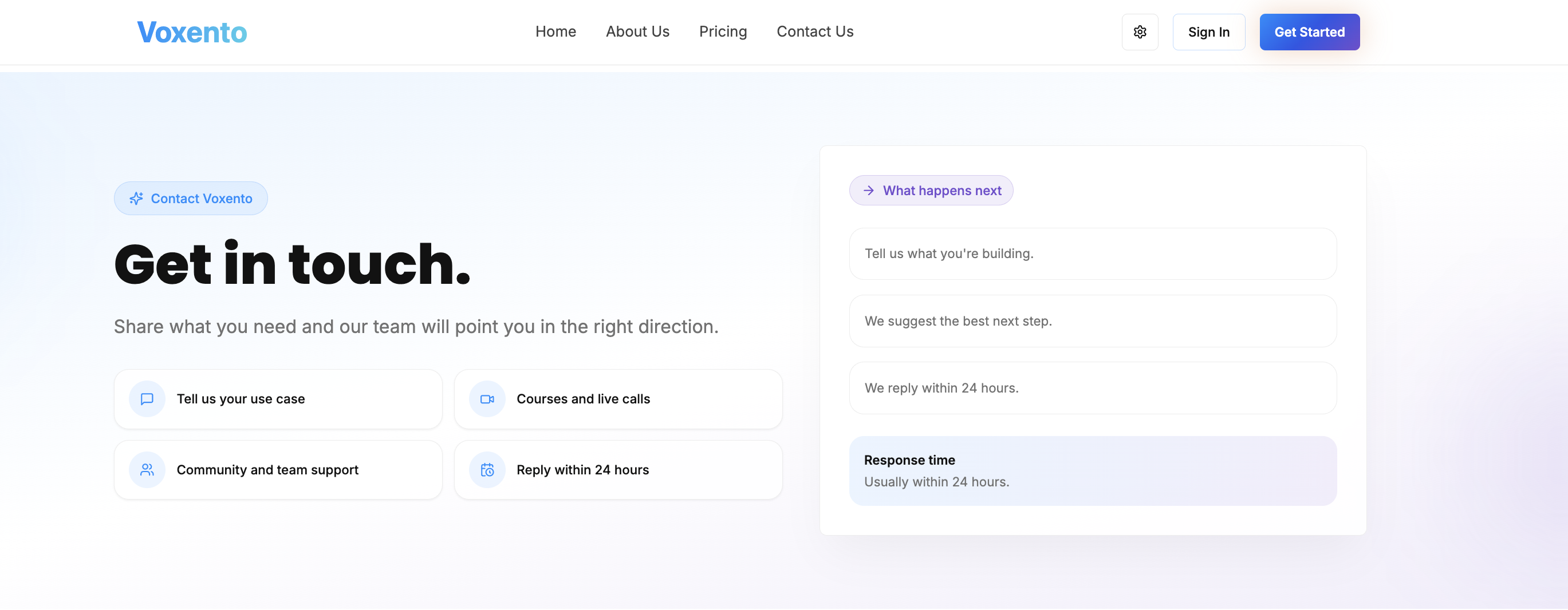
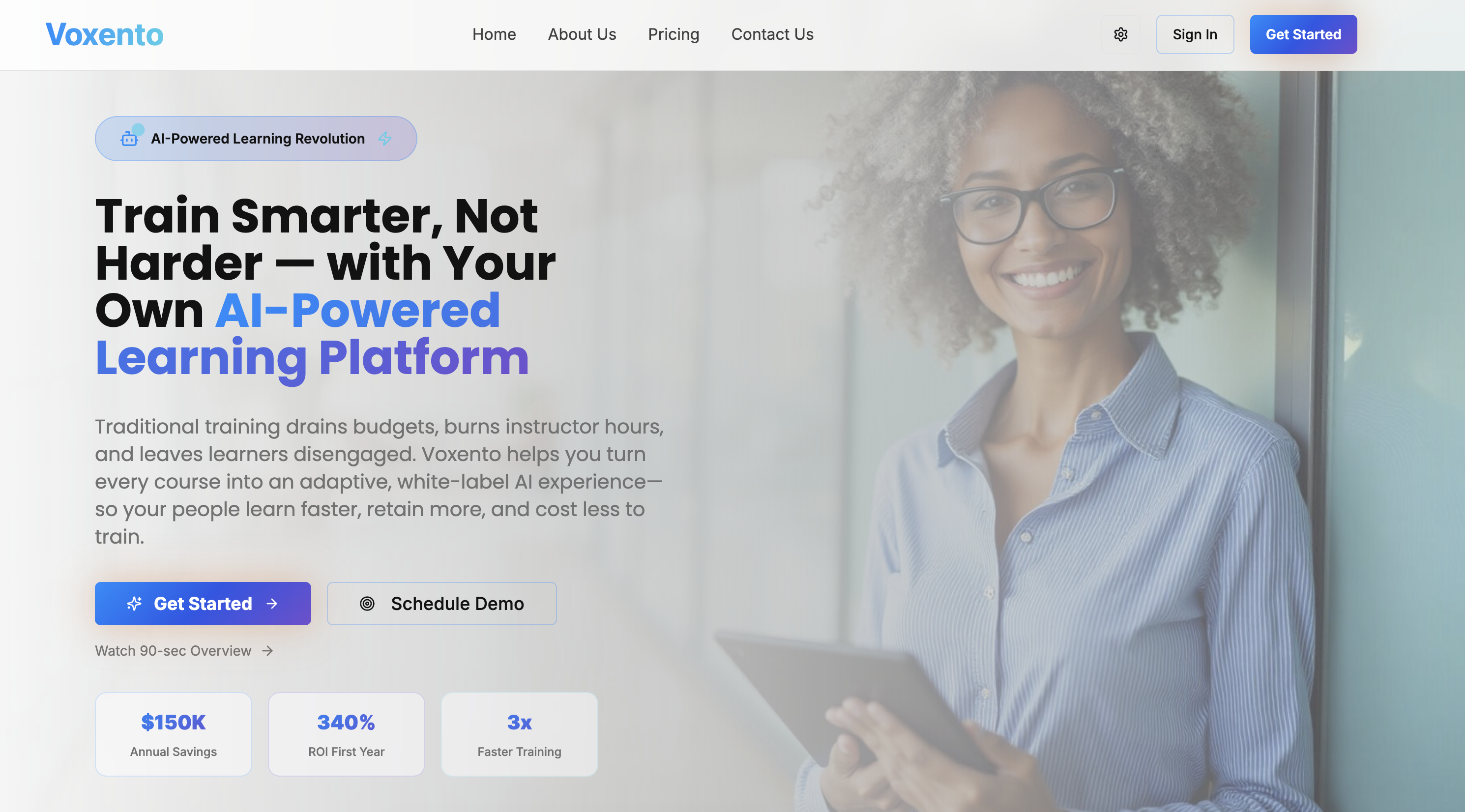
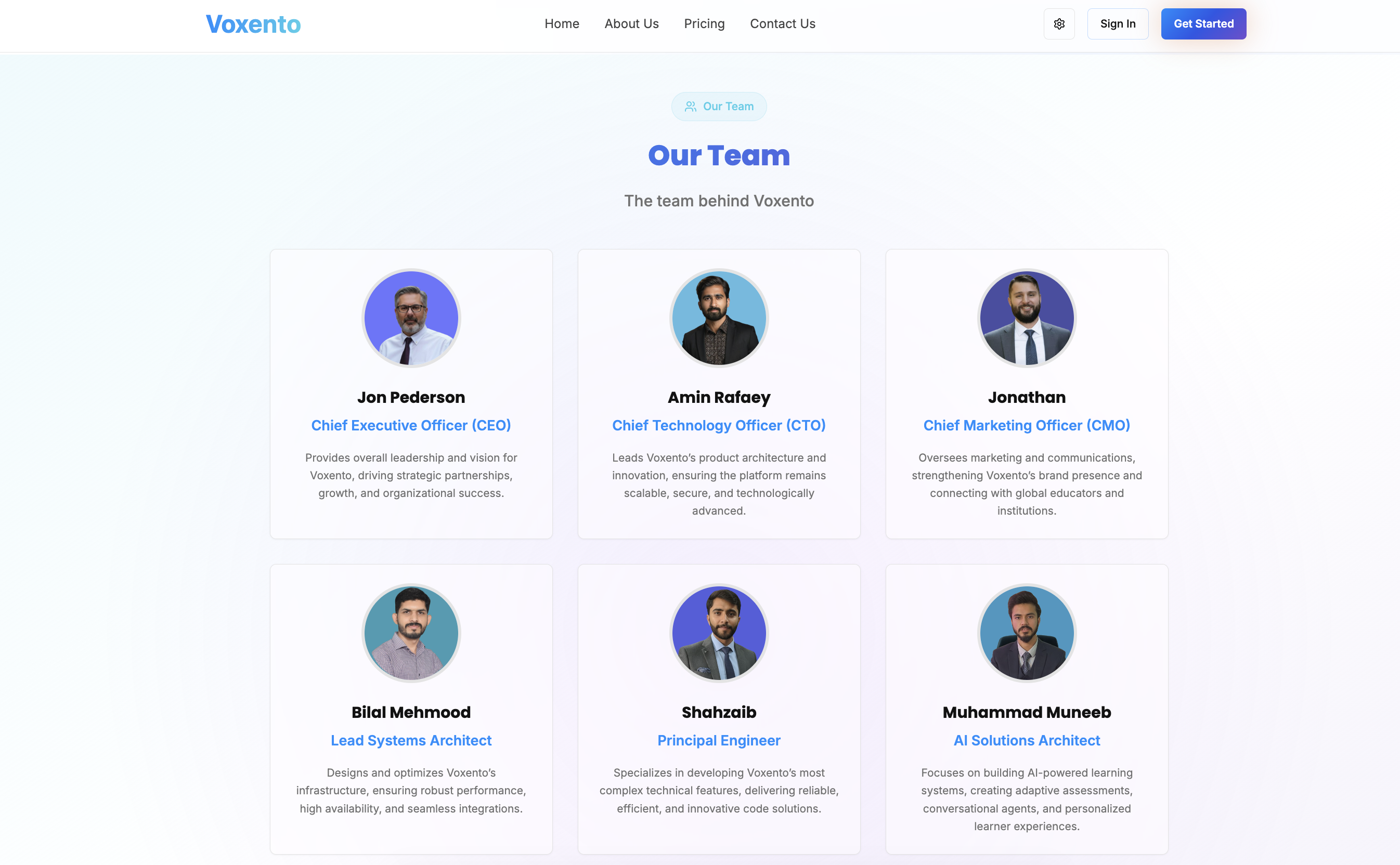
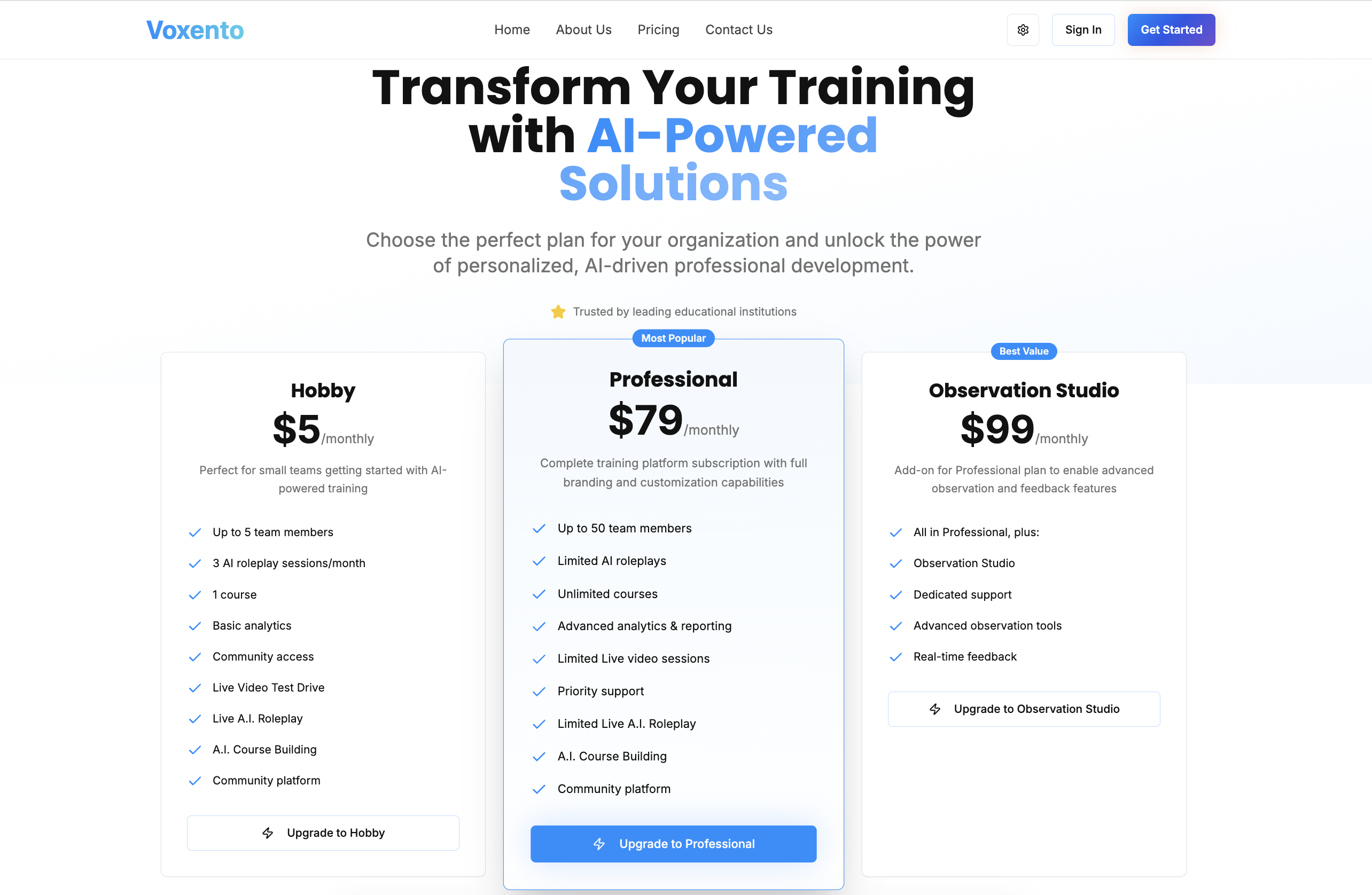
Project Screenshots
Results Delivered
Delivered a ai communication project with implementation coverage across Real-time communication support, AI transcription using Whisper, FastAPI backend services for AI/audio workflows, Transcript display and review screens.
AI Automation Services
Custom Software Development
3+
Learning workflows
Communication practice, transcription, and course audio modules support multiple training use cases.
Faster
Training feedback
Voice and transcription workflows reduce the delay between practice, review, and learner improvement.
More repeatable
Content operations
Audio and training modules create a clearer foundation for maintaining learning content at scale.
Operational lift for training companies and organizations that rely on voice, role-play, and learner feedback
The value of this case study is in the operating shift: voice-first training workflows with transcription, AI audio, Q&A, playback, and reviewable outputs. For teams in this category, that means clearer ownership, fewer scattered tools, and a stronger foundation for growth.
Reduces scattered work by moving the core AI transcription and training platform workflow into a structured product surface.
Improves visibility because users, admins, or operators can inspect the state of the workflow instead of relying on informal updates.
Creates a stronger foundation for future automation, analytics, integrations, and workflow expansion.
Real-time communication support gives teams a more repeatable way to handle real-time communication support without rebuilding the workflow manually.
What training companies and organizations that rely on voice, role-play, and learner feedback can take from this AI Communication build
Voxento — AI Communication, Transcription & Course Audio Modules is useful beyond the project itself because it shows how a focused product can reduce operating friction in a specific workflow category.
Start with the workflow that creates repeated manual drag, then design the product around making that workflow visible and easier to complete.
Use integrations only where they remove a real handoff. A connected stack is valuable when it improves data flow, support quality, reporting, or user speed.
Keep admin control and content maintenance in the architecture from the start so the product does not become fragile after launch.
Treat AI, automation, and dashboards as operating layers. They should help teams make decisions, complete work, or understand exceptions rather than exist as disconnected features.
Technologies We Used
 React
React Next.jsFastAPIWebRTC
 WhisperOpenAIElevenLabsCloudinaryWaveSurfer.jsAWSTailwind CSS
Questions This Case Study Helps Answer
What problem does this ai communication solve?
Voxento — AI Communication, Transcription & Course Audio Modules addresses a common problem for training companies and organizations that rely on voice, role-play, and learner feedback: spoken learning interactions often disappear after the session, leaving admins without transcripts, scoring, or reusable training intelligence. The build turns that issue into voice-first training workflows with transcription, AI audio, Q&A, playback, and reviewable outputs.
What can similar teams learn from the Voxento — AI Communication, Transcription & Course Audio Modules build?
The main lesson is to design around the operating workflow first. Screens, integrations, data models, and AI features become more useful when they reduce handoffs and make the work easier to inspect.
What technology stack supported this case study?
The implementation used React, Next.js, FastAPI, WebRTC, Whisper, OpenAI, ElevenLabs, Cloudinary, and related platform services to support the product experience, workflow logic, and integrations.
When should a company build a custom ai communication?
A custom build makes sense when off-the-shelf tools cannot match the workflow, data model, integrations, or user experience required by the business. The goal is not custom software for its own sake; it is operational leverage that holds up after launch.
Ready to Start?
Let's Build Something Great Together
Have a project in mind? Let's discuss how we can help bring your vision to life with our expertise in React, Next.js, and more.