Client Project/AEC / BIM Software

Spool Viewer BIM Viewer Case Study

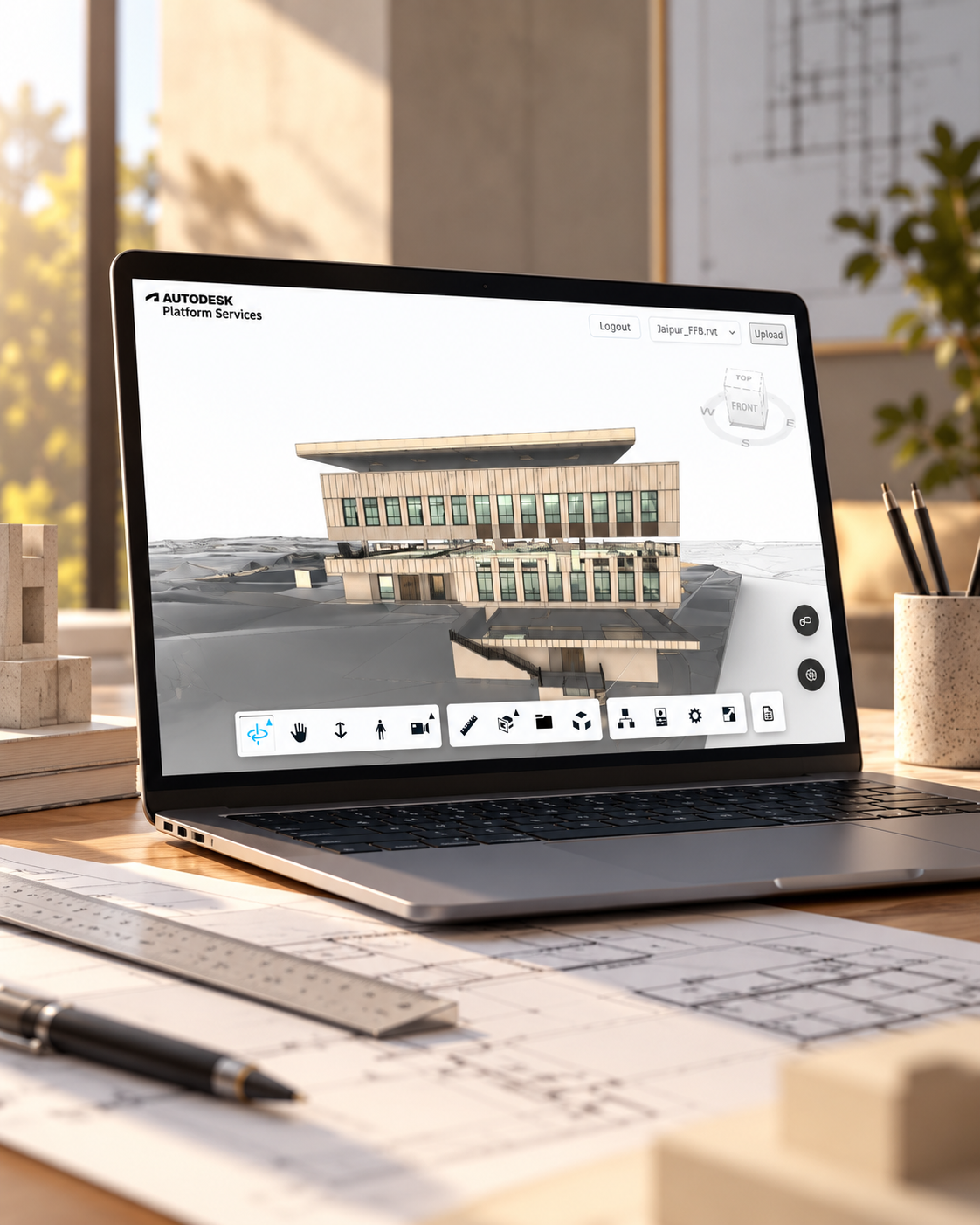
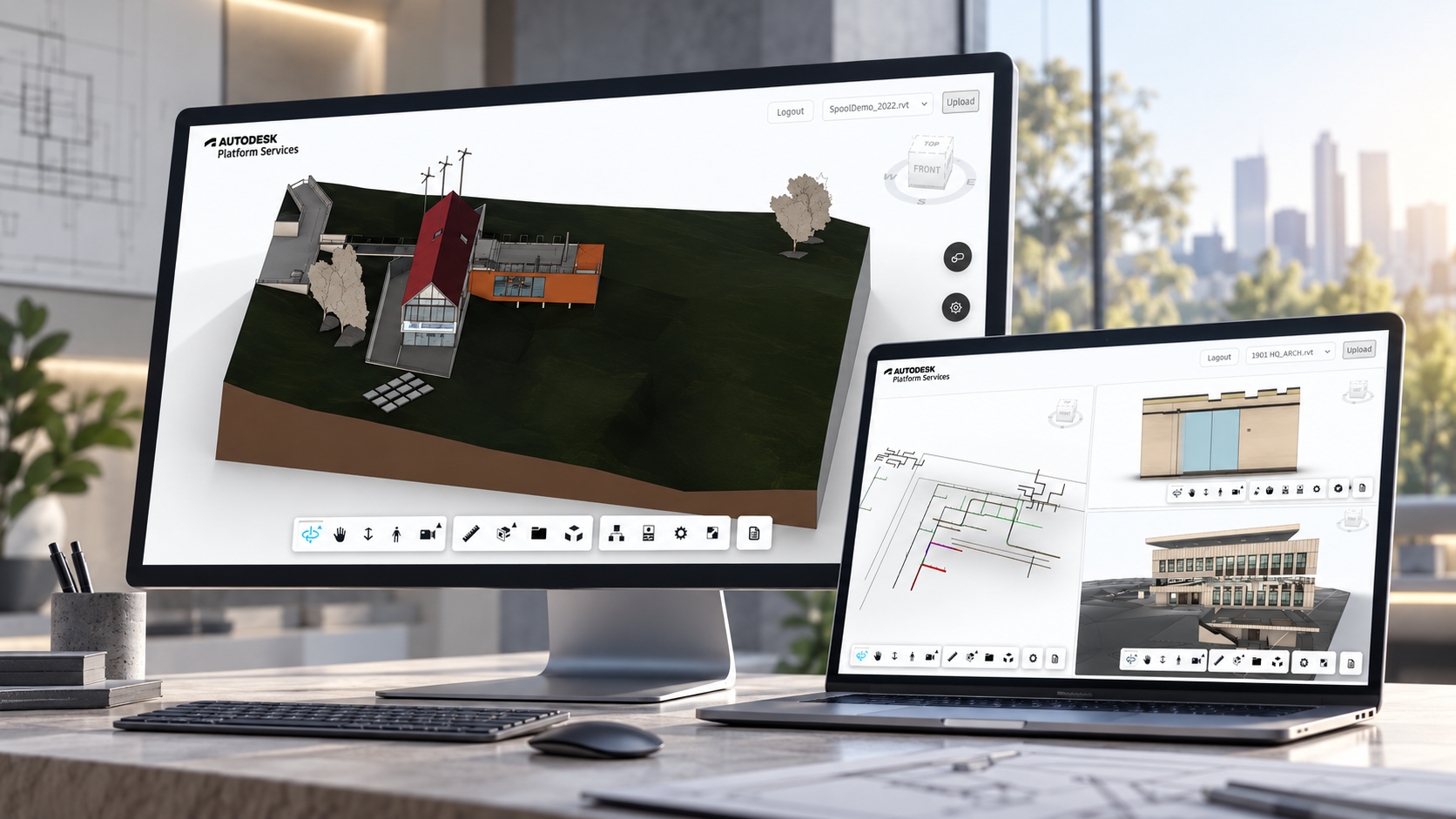
Spool Viewer is a BIM model viewing application built around Autodesk Platform Services.
Remote delivery
3D Viewer & BIM Software Development, Custom Software Development
Spool Viewer project preview
Spool Viewer - BIM Viewer
Overview

About the Project

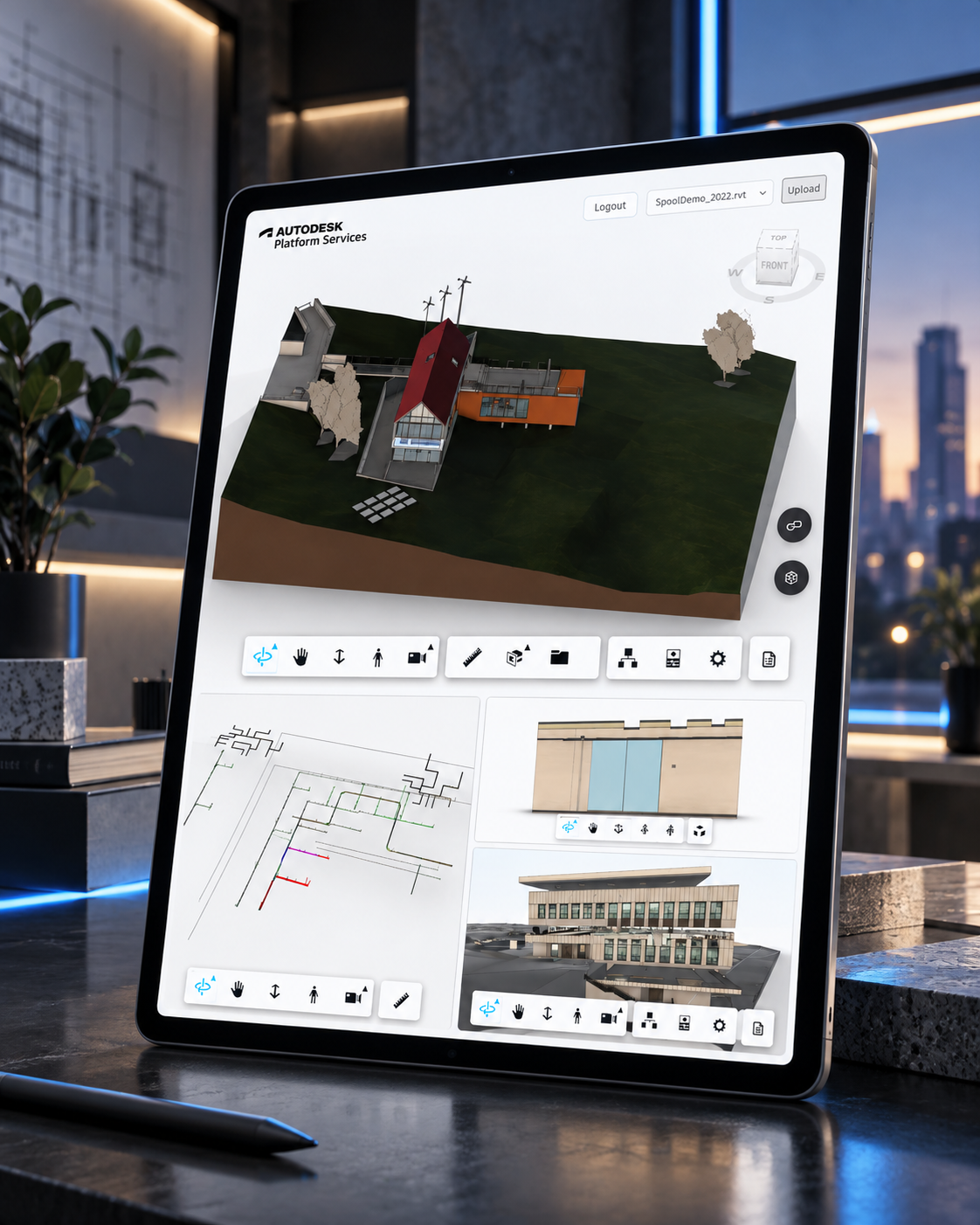
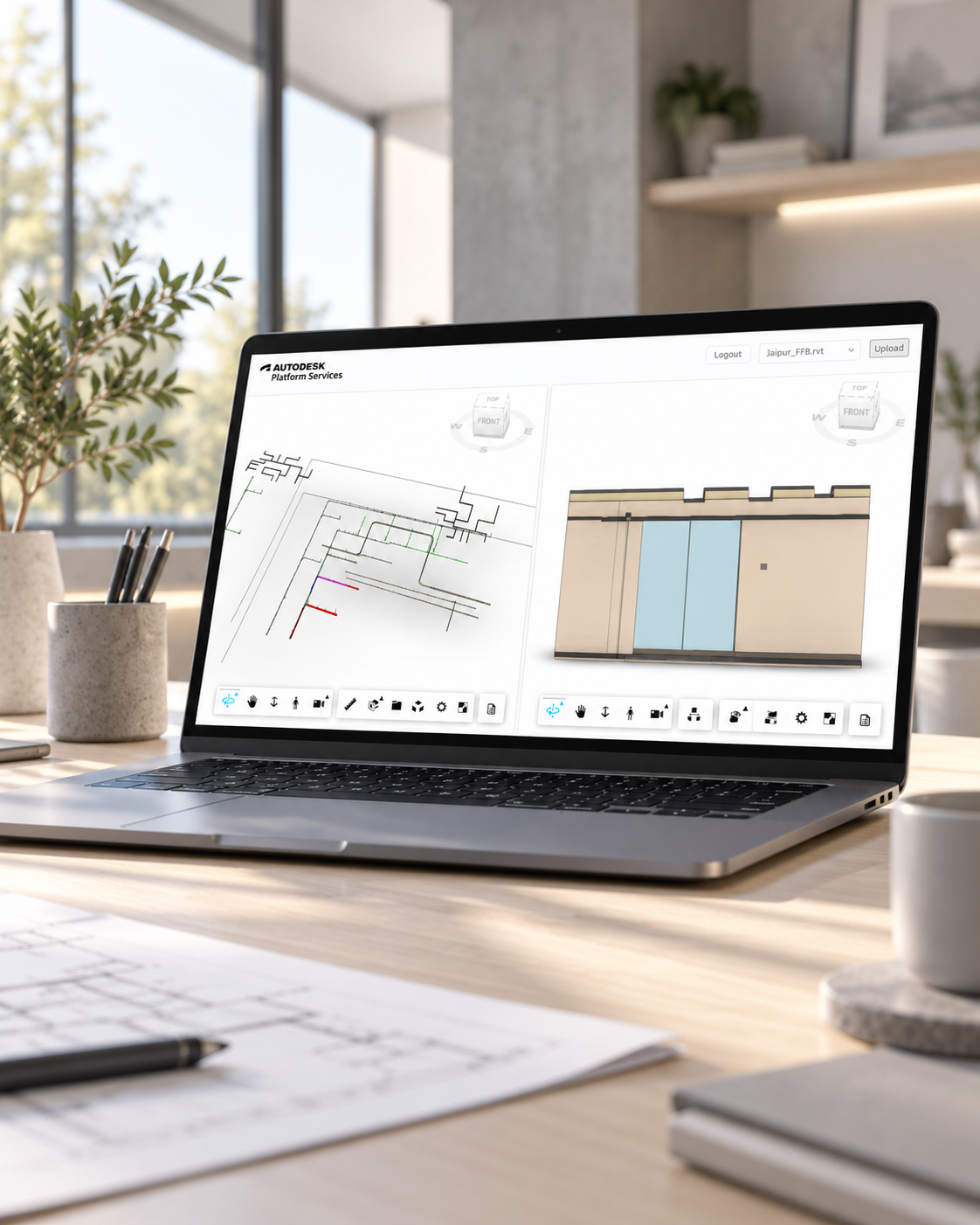
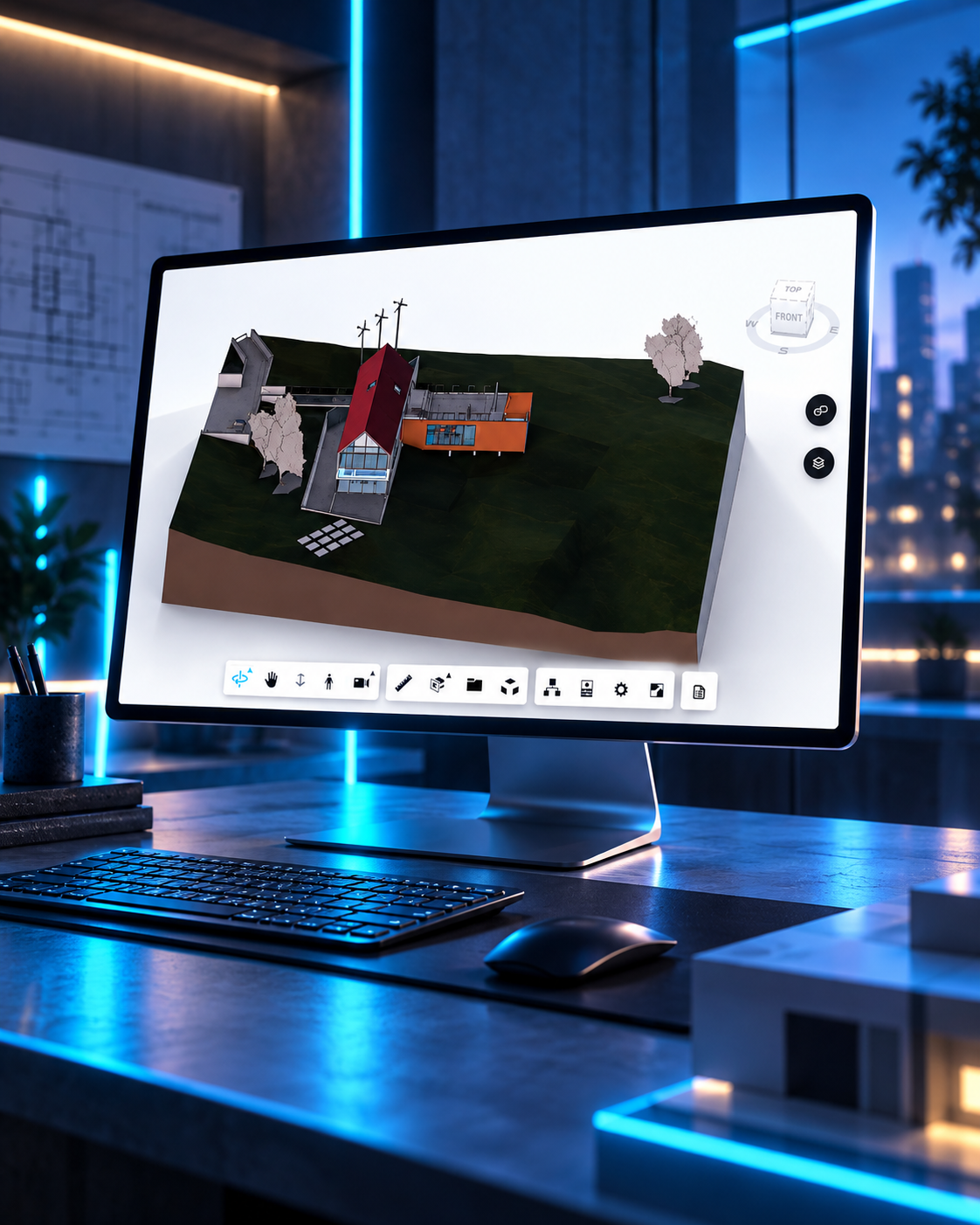
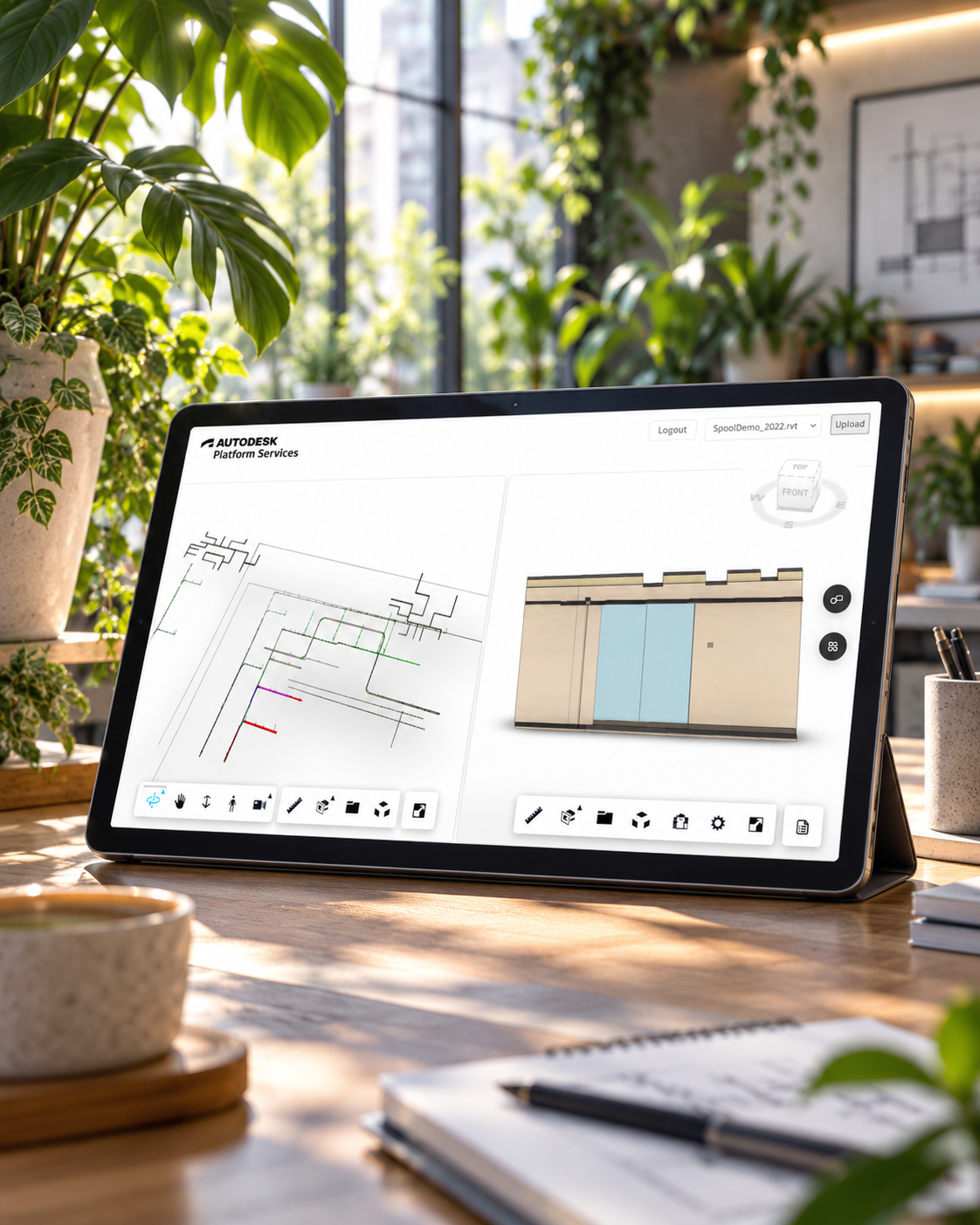
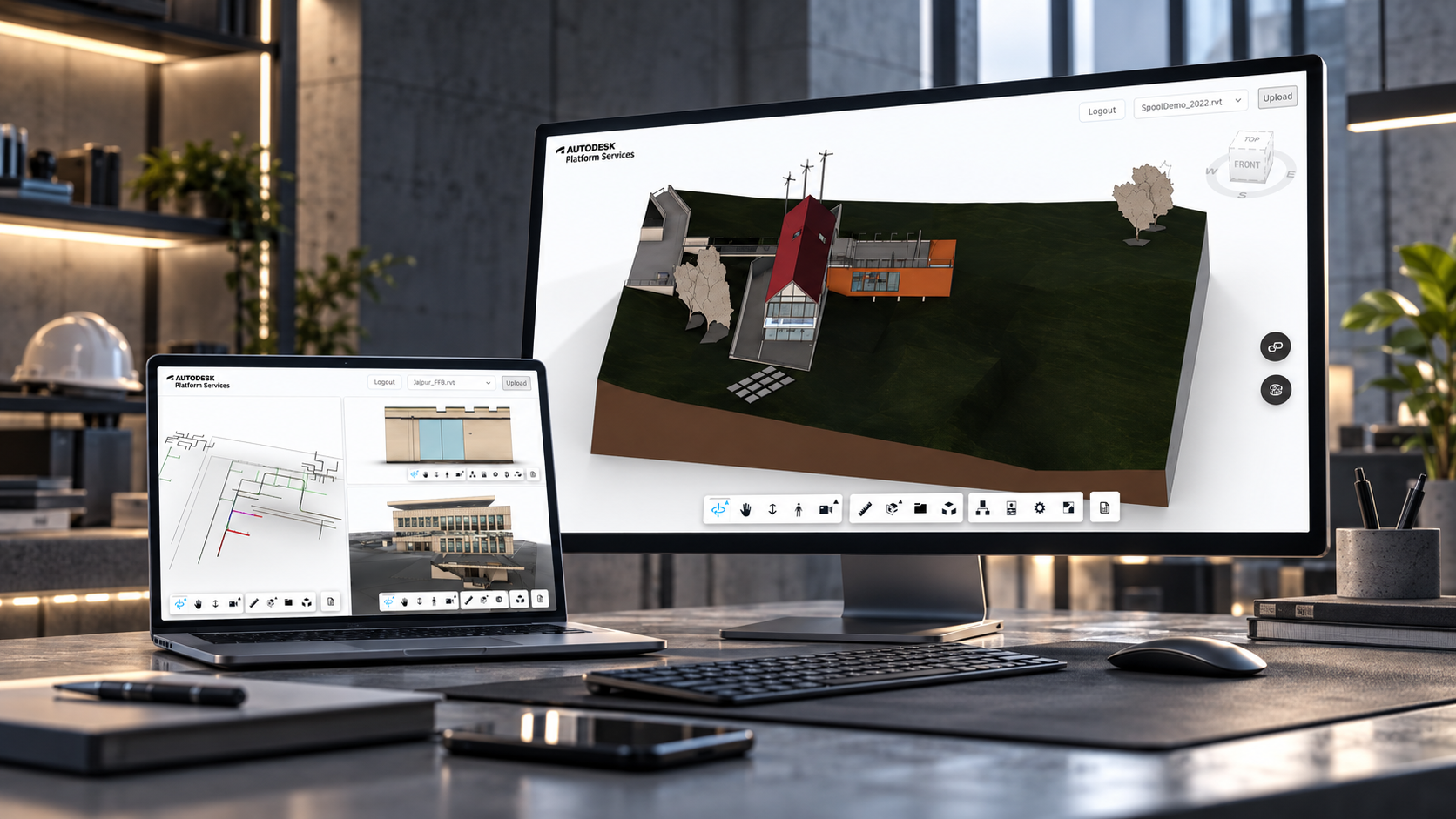
Spool Viewer is a BIM model viewing application built around Autodesk Platform Services. It lets users authenticate with APS, load translated Revit/model files in the Autodesk Viewer, browse Autodesk hubs/projects/folders, inspect model metadata, and locate spool assemblies by grouping viewer elements through model properties such as `PiM_Assembly Name`. The application supports both direct model loading and Autodesk Docs/BIM 360 browsing workflows, with custom viewer panels for summary data, spool search, and isolated element review.
Building BIM Viewer with practical implementation discipline

Spool Viewer is a BIM model viewing application built around Autodesk Platform Services. It lets users authenticate with APS, load translated Revit/model files in the Autodesk Viewer, browse Autodesk hubs/projects/folders, inspect model metadata, and locate spool assemblies by grouping viewer elements through model properties such as `PiM_Assembly Name`. The application supports both direct model loading and Autodesk Docs/BIM 360 browsing workflows, with custom viewer panels for summary data, spool search, and isolated element review.
Industry Value

Why this BIM Viewer matters for the industry

For construction, prefabrication, and BIM coordination teams using Autodesk Platform Services, the hard part is not just launching software. The harder problem is that spool and assembly review becomes slow when model metadata, hubs, folders, and translated files are not exposed in a focused review interface. This case study shows how a focused implementation can turn that friction into a BIM model viewer for APS authentication, translated model loading, metadata browsing, and spool assembly review.

Clarifies the operating workflow behind Autodesk Platform Services BIM viewer instead of only presenting a user interface.
Connects the product experience to real business actions such as onboarding, discovery, reporting, support, payments, content, or admin control.
Gives similar teams a practical reference for what to centralize, what to automate, and what should remain easy for humans to manage.
Helps buyers and operators understand the practical implementation choices behind the workflow, not just the finished interface.
Workflow Change

Before and After the Build

Before

Teams needed to authenticate, browse Autodesk project data, and load translated model files for review.

Spool and assembly metadata needed a focused interface instead of generic file navigation.

Model review workflows required clearer access to properties and project structure.

After

Users can authenticate with APS, browse hubs/projects/folders, load translated Revit/model files, and inspect metadata.

Spool and assembly review becomes more direct and operationally focused.

The app creates a reusable APS-based viewing foundation for construction workflows.

The Challenge

Challenges We Faced

1. Product and workflow clarity

Turning the bim viewer concept into a usable, structured product experience.

2. Technical implementation depth

Coordinating the implementation across React, Next.js, TypeScript, Next.js App Router, and related platform services.

Platform Features

Key Features Delivered

Autodesk Platform Services sign-in
APS OAuth callback flow
Protected viewer route
Autodesk Viewer integration
3D model loading by URN
APS bucket object listing
Model selection dropdown
Manifest and translation status feedback
Autodesk document browser extension
Custom viewer toolbar extension
Custom summary panel
Model metadata and property fetching
Spool assembly side drawer
Spool search and count display
Isolate and fit selected spool elements
Hub, project, folder, and item tree navigation
Revit file upload and new version workflow
Theme settings and language switcher
Our Approach

How We Solved It

1

UI/UX implementation.

2

Frontend and backend API routes.

3

Autodesk Platform Services integration.

4

APS OAuth integration.

5

Model Derivative and Data Management API integration.

6

Hub and project browser workflow.

7

Model upload and version workflow.

8

Viewer extension development.

Scope of Work

Implementation Scope

UI/UX implementationFrontend and backend API routesAutodesk Platform Services integrationAPS OAuth integrationModel Derivative and Data Management API integrationHub and project browser workflowModel upload and version workflowViewer extension developmentSummary panel and metadata processingSpool property mappingSpool search and selection workflowRedux state managementAuthentication guard and dashboard layout
System Architecture

How the System Was Structured

Experience layer

React, Next.js, TypeScript, Next.js App Router shaped the user-facing product screens, responsive flows, and role-specific interface patterns.

Workflow and data layer

Node.js File System APIs supported the operational records, authenticated workflows, content models, and business logic behind the product.

Integration layer

Autodesk Platform Services, Autodesk Viewer, APS Model Derivative API, APS Data Management API connected the product to the external systems, AI services, media storage, analytics, and deployment surfaces it needed.

Operating layer

Admin screens, structured content, dashboards, and repeatable workflows made the system easier to maintain after launch instead of leaving value trapped in custom code.

Project Gallery

Project Screenshots

Spool Viewer screenshot 1
Spool Viewer screenshot 2
Spool Viewer screenshot 3
Spool Viewer screenshot 4
The Outcome

Results Delivered

Delivered a bim viewer project with implementation coverage across Autodesk Platform Services sign-in, APS OAuth callback flow, Protected viewer route, Autodesk Viewer integration.
3D Viewer & BIM Software Development
Custom Software Development
Operational Impact

Operational lift for construction, prefabrication, and BIM coordination teams using Autodesk Platform Services

The value of this case study is in the operating shift: a BIM model viewer for APS authentication, translated model loading, metadata browsing, and spool assembly review. For teams in this category, that means clearer ownership, fewer scattered tools, and a stronger foundation for growth.

1

Reduces scattered work by moving the core Autodesk Platform Services BIM viewer workflow into a structured product surface.

2

Improves visibility because users, admins, or operators can inspect the state of the workflow instead of relying on informal updates.

3

Creates a stronger foundation for future automation, analytics, integrations, and workflow expansion.

4

Autodesk Platform Services sign-in gives teams a more repeatable way to handle autodesk platform services sign-in without rebuilding the workflow manually.

Reusable Lessons

What construction, prefabrication, and BIM coordination teams using Autodesk Platform Services can take from this BIM Viewer build

Spool Viewer is useful beyond the project itself because it shows how a focused product can reduce operating friction in a specific workflow category.

Start with the workflow that creates repeated manual drag, then design the product around making that workflow visible and easier to complete.

Use integrations only where they remove a real handoff. A connected stack is valuable when it improves data flow, support quality, reporting, or user speed.

Keep admin control and content maintenance in the architecture from the start so the product does not become fragile after launch.

Treat AI, automation, and dashboards as operating layers. They should help teams make decisions, complete work, or understand exceptions rather than exist as disconnected features.

Technologies

Technologies We Used

ReactNext.jsTypeScriptNext.js App RouterAutodesk Platform ServicesAutodesk ViewerForge APIsAPS Model Derivative APIAPS Data Management APIMaterial UIMUI X Tree ViewEmotionRedux ToolkitReact ReduxRedux ThunkAxiosSonneri18nextReact i18nextIconifyPhosphor IconsNode.js File System APIs
Search Questions

Questions This Case Study Helps Answer

What problem does this bim viewer solve?

Spool Viewer addresses a common problem for construction, prefabrication, and BIM coordination teams using Autodesk Platform Services: spool and assembly review becomes slow when model metadata, hubs, folders, and translated files are not exposed in a focused review interface. The build turns that issue into a BIM model viewer for APS authentication, translated model loading, metadata browsing, and spool assembly review.

What can similar teams learn from the Spool Viewer build?

The main lesson is to design around the operating workflow first. Screens, integrations, data models, and AI features become more useful when they reduce handoffs and make the work easier to inspect.

What technology stack supported this case study?

The implementation used React, Next.js, TypeScript, Next.js App Router, Autodesk Platform Services, Autodesk Viewer, Forge APIs, APS Model Derivative API, and related platform services to support the product experience, workflow logic, and integrations.

When should a company build a custom bim viewer?

A custom build makes sense when off-the-shelf tools cannot match the workflow, data model, integrations, or user experience required by the business. The goal is not custom software for its own sake; it is operational leverage that holds up after launch.

Ready to Start?

Let's Build Something Great Together

Have a project in mind? Let's discuss how we can help bring your vision to life with our expertise in React, Next.js, and more.

View All Case Studies