Building 4D Construction Simulation and Progress Tracking Viewers on Autodesk Platform Services
Building 4D Construction Simulation and Progress Tracking Viewers on Autodesk Platform Services Modern megaprojects generate vast streams of spatial and temporal data, yet construction scheduling and Building Information Modeling (BIM) traditionally operate in disjointed silos. When project managers

Building 4D Construction Simulation and Progress Tracking Viewers on Autodesk Platform Services
Modern mega-projects generate vast streams of spatial and temporal data, yet construction scheduling and Building Information Modeling (BIM) traditionally operate in disjointed silos. When project managers evaluate a critical path delay in Primavera P6 or Microsoft Project, they rarely see its immediate physical impact across structural, MEP, and civil packages. Bridging this divide requires 4D construction simulation—the direct binding of time and sequence data to 3D spatial models.
By leveraging Autodesk Platform Services (APS, formerly Forge), engineering teams can build browser-based, high-performance 4D simulation and variance tracking engines without requiring heavy desktop CAD environments. This technical guide explores how to architect and deploy a production-grade 4D simulation engine using the APS Model Derivative API and Viewer SDK, detailing data normalization pipelines, deterministic entity resolution, custom temporal state machines, and canvas rendering optimizations.
Architectural Foundations: Bridging BIM Geometry and Scheduling Data
Bridging BIM geometry and project schedules requires a decoupled web architecture where cloud-translated 3D spatial models are synchronized with normalized scheduling payloads via a client-side state machine. This is achieved by combining the APS Model Derivative API for WebGL-optimized SVF2 streaming with an ingestion pipeline that normalizes Gantt schedules into lightweight JSON streams.
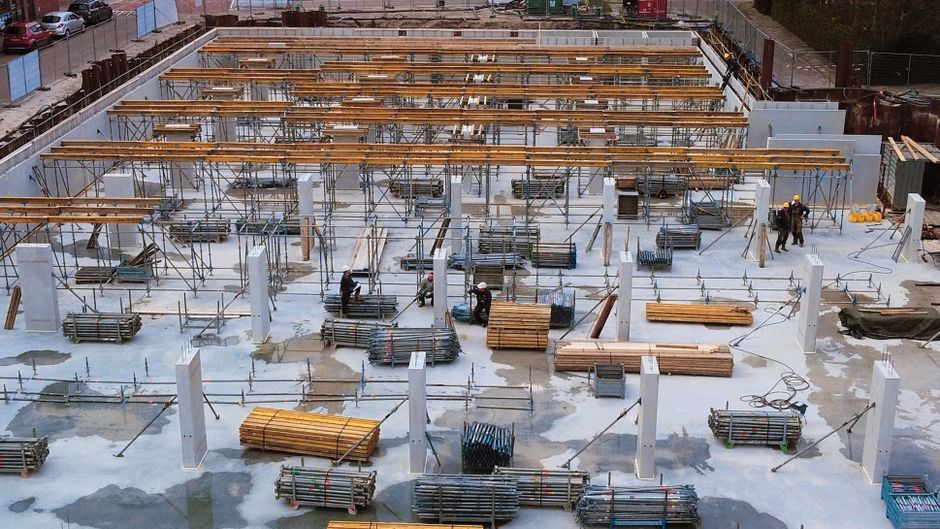
High-Level System Architecture: Model Derivative API Meets Construction Schedules
A production-grade 4D viewer decouples the storage and processing of 3D geometry from project control databases. The 3D model path ingests source design assets—such as Autodesk Revit (.rvt), IFC, or Navisworks (.nwd) files—into APS Object Storage Service (OSS). A secure server-side job triggers the Model Derivative API to extract metadata and compile the model into the SVF2 (Simple Vector Format 2) streaming format. SVF2 meshes are divided into shareable geometry primitives, enabling rapid progressive mesh loading over WebSockets and HTTP/2.
Concurrently, scheduling files are ingested via a dedicated microservice. Rather than exposing the client application directly to monolithic XML/XER scheduling files, a headless parsing service extracts tasks, calendar work weeks, predecessor/successor logic, and associated element GUID identifiers, outputting optimized payload structures to a Redis cache or PostgreSQL database.
+-----------------------------------------------------------------------------------+
|                              Source Ingestion Layer                               |
+-----------------------------------------------------------------------------------+
|  Revit (.rvt) / IFC / Navisworks (.nwd)  |   Primavera P6 (.xer/.xml) / MS Project|
+------------------------------------------+----------------------------------------+
                     |                                         |
                     v                                         v
+------------------------------------------+   +------------------------------------+
| APS Model Derivative API                 |   | Schedule Normalization Worker      |
| - SVF2 Mesh Generation                   |   | - Baseline & Actual Milestones     |
| - Metadata / Property Database Extract   |   | - WBS Hierarchy & Activity Mapping |
+------------------------------------------+   +------------------------------------+
                     |                                         |
                     +--------------------+--------------------+
                                          v
+-----------------------------------------------------------------------------------+
|                      Client-Side 4D Runtime (Browser Canvas)                      |
|  +-----------------------------------------------------------------------------+  |
|  | Autodesk Platform Services Viewer SDK (Three.js WebGL Core)                 |  |
|  | +-------------------------------------------------------------------------+ |  |
|  | | 4D Playback Engine Extension                                            | |  |
|  | | - In-Memory Spatial Index (dbId <-> Activity ID)                        | |  |
|  | | - Temporal State Machine (Play/Pause/Scrub ticks)                       | |  |
|  | | - Shader-based Theming Engine (setThemingColor / Batch Fragment Updates)| |  |
|  | +-------------------------------------------------------------------------+ |  |
|  +-----------------------------------------------------------------------------+  |
|  | Bi-Directional Interactive Gantt Timeline (e.g., vis-timeline / D3.js)       |  |
+-----------------------------------------------------------------------------------+
Normalizing Schedule Ingestion: Mapping Primavera P6 and MS Project to Web Formats
Enterprise construction schedules from Primavera P6 (.xer, XML) and Microsoft Project (.mpp, XML) contain complex dependencies, calendar exception logic (e.g., non-working weekends, weather downtime, regional holidays), and multiple baselines. Transporting this raw structural complexity directly to the client canvas introduces severe payload overhead and performance bottlenecks.
An effective ingestion pipeline normalizes these sources into a lean JSON data model:
{
  "projectMeta": {
    "calendarId": "CAL-STD-5D",
    "dataDate": "2026-10-01T00:00:00Z"
  },
  "activities": [
    {
      "activityId": "ACT-1042",
      "wbsCode": "1.2.3.1",
      "name": "Level 2 Post-Tensioned Slab Pour",
      "plannedStart": "2026-10-05T07:00:00Z",
      "plannedFinish": "2026-10-12T17:00:00Z",
      "actualStart": "2026-10-07T08:30:00Z",
      "actualFinish": null,
      "percentComplete": 45,
      "elementGuids": [
        "d87e5b22-8dfb-4f93-b1d5-bc44a8dc821a",
        "fa991c01-721a-4d2b-92ea-2cf01b33e4bb"
      ]
    }
  ]
}
By calculating all baseline variances and serializing ISO-8601 timestamps on the server, the browser avoids heavy client-side calendar calculations, leaving CPU cycles free for WebGL canvas execution.
APS Viewer SDK Setup: Loading Federated Models for Dynamic Manipulation
To establish dynamic 4D playback, initialize the Autodesk.Viewing.GuiViewer3D environment with options optimized for large-scale federated coordination models.
const viewerOptions = {
  env: 'AutodeskProduction2',
  api: 'streamingV2',
  getAccessToken: (onTokenReady) => {
    fetch('/api/auth/token')
      .then(res => res.json())
      .then(data => onTokenReady(data.access_token, data.expires_in));
  }
};

Autodesk.Viewing.Initializer(viewerOptions, () => {
  const container = document.getElementById('aps-viewer-canvas');
  const viewer = new Autodesk.Viewing.GuiViewer3D(container, {
    extensions: ['Construction4DPlaybackExtension']
  });

  viewer.start();

  const documentId = 'urn:adsk.objects:os.object:bucket_name/federated_site.nwd';
  Autodesk.Viewing.Document.load(documentId, (doc) => {
    const defaultModel = doc.getRoot().getDefaultGeometry();
    viewer.loadDocumentNode(doc, defaultModel, {
      keepCurrentModels: true,
      applyRefPoint: true,
      globalOffset: { x: 0, y: 0, z: 0 }
    });
  }, (errorCode) => {
    console.error('Failed to load federated model manifest:', errorCode);
  });
});
Using applyRefPoint: true and a shared globalOffset ensures that when multi-discipline models (architectural, structural, MEP) are federated together, their spatial coordinate systems match the construction site layout.
The Data Mapping Bottleneck: Linking Work Breakdown Structures to Model Elements
Resolving the mapping bottleneck requires translating persistent global identifiers (such as Revit GUIDs or IFC standard IDs) into transient runtime primitive identifiers (dbId), creating a two-tier lookup map. This indexing architecture bridges the gap between schedule-level Work Breakdown Structures (WBS) and granular 3D geometry fragments.

Deterministic Identity Resolution: Resolving externalId vs. Session-Based dbId
A critical architectural pitfall in APS development is confusing the ephemeral dbId with persistent asset identifiers:
externalId(String): The immutable, authoring-tool identifier (e.g., RevitUniqueIdor IFCGlobalId). It remains constant across re-exports and translations.dbId(Integer): An internal, auto-incremented database index assigned by the Model Derivative service for a specific SVF2 translation artifact. If an updated model is processed, a column'sdbIdcan drift from4123to4890.
Scheduling tasks must link strictly to externalId values. When the client loads a model, it must asynchronously construct an inverse map to resolve externalId to the current session's dbId:
async function buildExternalIdToDbIdMap(model) {
  return new Promise((resolve) => {
    model.getExternalIdMapping((mapping) => {
      // mapping contains { [externalId: string]: dbId: number }
      resolve(mapping);
    }, (error) => {
      console.error('Failed to retrieve externalId mapping:', error);
      resolve({});
    });
  });
}
Constructing the In-Memory Index: Fast Lookups Between Tasks and Spatial Nodes
Executing updates during 60-FPS timeline scrubbing requires immediate access to temporal statuses. Nested array scans during timeline animations will degrade UI performance. Instead, instantiate a bidirectional, multi-indexed hash map during the initial model initialization phase:
class FourDIndexManager {
  constructor() {
    this.dbIdToActivities = new Map(); // dbId -> Set<Activity>
    this.timelineIntervals = [];        // Sorted intervals for binary search
  }

  buildIndex(scheduleActivities, externalIdMapping) {
    for (const activity of scheduleActivities) {
      const dbIds = [];
      for (const guid of activity.elementGuids) {
        const dbId = externalIdMapping[guid];
        if (dbId !== undefined) {
          dbIds.push(dbId);
          if (!this.dbIdToActivities.has(dbId)) {
            this.dbIdToActivities.set(dbId, new Set());
          }
          this.dbIdToActivities.get(dbId).add(activity);
        }
      }

      this.timelineIntervals.push({
        activityId: activity.activityId,
        start: new Date(activity.actualStart || activity.plannedStart).getTime(),
        finish: new Date(activity.actualFinish || activity.plannedFinish).getTime(),
        dbIds: dbIds,
        activityRef: activity
      });
    }

    // Sort intervals by start time for fast temporal scanning
    this.timelineIntervals.sort((a, b) => a.start - b.start);
  }

  getTasksActiveOnDate(timestamp) {
    // Binary search or interval overlap scan
    return this.timelineIntervals.filter(
      item => item.start <= timestamp && item.finish >= timestamp
    );
  }
}
Managing Granularity Gaps: Handling Task-to-Element Discrepancies and Sub-Assemblies
BIM models and construction schedules are rarely modeled at identical levels of detail (LOD):
- One Task to Many Elements: A single activity, "Pour Level 3 Columns", links to 48 individual 3D column meshes.
- Many Tasks to One Element: A single structural wall element spans three sequential activities: "Formwork Erection", "Rebar Placement", and "Concrete Pour".
To resolve many-to-one conflicts, leverage hierarchical object tree traversal using model.getObjectTree(). If a scheduler associates an activity with a parent assembly node (such as a floor system), the viewer recursively collects all descendant leaf dbId nodes to apply uniform visibility or thematic styling:
function getLeafDbIds(model, parentDbId) {
  const leafDbIds = [];
  const tree = model.getInstanceTree();

  if (!tree) return [parentDbId];

  function recurse(id) {
    if (tree.getChildCount(id) === 0) {
      leafDbIds.push(id);
    } else {
      tree.enumChildren(id, (childId) => recurse(childId));
    }
  }

  recurse(parentDbId);
  return leafDbIds;
}
For elements linked to sequential tasks, the runtime checks the current active phase and renders the mesh with appearance profiles tied to that construction step (e.g., translucent orange for formwork, metallic grey for rebar, solid gray for cured concrete).
Engineering the 4D Playback Engine: Building a Custom APS Viewer Extension
A custom APS 4D playback engine extends the Viewer SDK lifecycle to control spatial visibility and color theming continuously along a simulated temporal timeline. It uses a deterministic state machine driven by requestAnimationFrame tick loops, dynamically driving scene appearance through batch updates via the Viewer's low-level shader theming APIs.

Extension Scaffolding: Lifecycle Hooks and Event Registration in Autodesk.Viewing.Extension
The standard integration path for custom logic in APS is via subclassing Autodesk.Viewing.Extension. This structure provides clean lifecycle hooks (load(), unload()) and allows reliable attachment to engine events like GEOMETRY_LOADED_EVENT and OBJECT_TREE_CREATED_EVENT.
class Construction4DPlaybackExtension extends Autodesk.Viewing.Extension {
  constructor(viewer, options) {
    super(viewer, options);
    this.indexManager = new FourDIndexManager();
    this.playbackEngine = null;
    this.onGeometryLoaded = this.onGeometryLoaded.bind(this);
  }

  load() {
    this.viewer.addEventListener(
      Autodesk.Viewing.GEOMETRY_LOADED_EVENT,
      this.onGeometryLoaded
    );
    return true;
  }

  unload() {
    this.viewer.removeEventListener(
      Autodesk.Viewing.GEOMETRY_LOADED_EVENT,
      this.onGeometryLoaded
    );
    if (this.playbackEngine) {
      this.playbackEngine.destroy();
    }
    return true;
  }

  async onGeometryLoaded(event) {
    const model = event.model;
    const externalIdMap = await buildExternalIdToDbIdMap(model);

    // Ingest schedule passed via extension options
    this.indexManager.buildIndex(this.options.scheduleActivities, externalIdMap);

    // Instantiate temporal engine
    this.playbackEngine = new TemporalStateMachine(
      this.viewer,
      this.indexManager,
      this.options.timelineBounds
    );
  }
}

Autodesk.Viewing.theExtensionManager.registerExtension(
  'Construction4DPlaybackExtension',
  Construction4DPlaybackExtension
);
Temporal State Machine: Orchestrating Timeline Scrubbing, Playback Ticks, and Date Filtering
The playback engine functions as a temporal clock. It accepts continuous or stepped timestamps, interrogates the FourDIndexManager, and classifies all elements into discrete lifecycle buckets relative to the current virtual timestamp $T_v$:
- Unconstructed ($T_v < T_{\text{start}}$): Element should be invisible or rendered as a low-opacity bounding ghost.
- Active Construction ($T_{\text{start}} \le T_v \le T_{\text{finish}}$): Element is under active execution; rendered with high-visibility accent colors (e.g., dynamic pulsing green/yellow).
- Completed ($T_v > T_{\text{finish}}$): Element is constructed; restored to original architectural materials or rendered in a neutral completed tone.
class TemporalStateMachine {
  constructor(viewer, indexManager, bounds) {
    this.viewer = viewer;
    this.index = indexManager;
    this.startTime = bounds.start.getTime();
    this.endTime = bounds.end.getTime();
    this.currentTime = this.startTime;
    this.playbackSpeed = 86400 * 1000; // 1 real second = 1 sim day
    this.isRunning = false;
    this.rafId = null;
    this.lastFrameTime = performance.now();
  }

  start() {
    this.isRunning = true;
    this.lastFrameTime = performance.now();
    this.tick = this.tick.bind(this);
    this.rafId = requestAnimationFrame(this.tick);
  }

  pause() {
    this.isRunning = false;
    if (this.rafId) cancelAnimationFrame(this.rafId);
  }

  seek(timestamp) {
    this.currentTime = Math.max(this.startTime, Math.min(this.endTime, timestamp));
    this.evaluateSceneState(this.currentTime);
  }

  tick(now) {
    if (!this.isRunning) return;
    const deltaMs = now - this.lastFrameTime;
    this.lastFrameTime = now;

    this.currentTime += (deltaMs / 1000) * this.playbackSpeed;
    if (this.currentTime >= this.endTime) {
      this.currentTime = this.endTime;
      this.pause();
    }

    this.evaluateSceneState(this.currentTime);

    if (this.isRunning) {
      this.rafId = requestAnimationFrame(this.tick);
    }
  }

  evaluateSceneState(timestamp) {
    // Dispatches state changes to viewer rendering methods
    this.updateCanvasVisibilityAndTheming(timestamp);
  }
}
Canvas Performance at Scale: High-Speed Theming and Batch Visibility Toggling via setThemingColor
Manipulating individual scene nodes using methods like viewer.hide(dbId) or viewer.show(dbId) inside an animation loop triggers excessive DOM and WebGL pipeline thrashing. On models with 200,000+ fragments, this causes immediate frame drops.
To achieve fluid, 60-FPS rendering performance:
- Group nodes into bulk arrays and apply state via
viewer.isolate([dbIds]). - Apply operational colors using the lower-overhead
viewer.setThemingColor(dbId, vector4Color, model, recursive). - Flush visual updates to the hardware canvas with
viewer.impl.invalidate(true, true, false)only once per frame tick.
updateCanvasVisibilityAndTheming(currentTimestamp) {
  const model = this.viewer.model;
  const activeColor = new THREE.Vector4(0.1, 0.8, 0.2, 0.7); // Translucent green
  const completedColor = new THREE.Vector4(0, 0, 0, 0);       // Clear/native texture

  const visibleDbIds = [];

  for (const interval of this.index.timelineIntervals) {
    if (currentTimestamp < interval.start) {
      // Not yet built: reset theming and keep hidden from visible set
      for (const id of interval.dbIds) {
        model.setThemingColor(id, null);
      }
    } else if (currentTimestamp >= interval.start && currentTimestamp <= interval.finish) {
      // In progress: show and theme
      for (const id of interval.dbIds) {
        visibleDbIds.push(id);
        model.setThemingColor(id, activeColor);
      }
    } else {
      // Completed: show and clear theming to reveal native material
      for (const id of interval.dbIds) {
        visibleDbIds.push(id);
        model.setThemingColor(id, completedColor);
      }
    }
  }

  // Single batch call to hardware fragment visibility
  this.viewer.isolate(visibleDbIds);
  // Direct render loop invalidation
  this.viewer.impl.invalidate(true, true, false);
}
Visualizing Variance: Planned vs. Actual Progress Monitoring
Real-time construction tracking requires calculating the difference between planned baseline dates and actual field observations, visually encoding delays directly on physical elements. Using conditional theming shaders, bi-directional event buses, and spatial tooltips, the viewer isolates project schedule slip down to specific model assemblies.

Conditional Visual Theming: Encoding Ahead, On-Track, and Delayed Work Breakdown Statuses
Variance tracking compares planned progress against real-world execution at a specified project analysis date ($T_d$). By evaluating the planned finish date against actual site milestones, the system applies a standardized color-coding taxonomy across the canvas:
| Status | Mathematical Condition | Theming Vector | Visual Output |
|---|---|---|---|
| Completed Ahead | $T_{\text{actualFinish}} < T_{\text{plannedFinish}}$ | THREE.Vector4(0.0, 0.5, 1.0, 0.8) | Deep Blue |
| On Schedule | $|T_{\text{actual}} - T_{\text{planned}}| \le \text{Threshold}$ | THREE.Vector4(0.1, 0.7, 0.2, 0.8) | Green |
| Critical Delay | $T_{\text{actualFinish}} > T_{\text{plannedFinish}} \lor (T_d > T_{\text{plannedFinish}} \land \text{Incomplete})$ | THREE.Vector4(0.9, 0.1, 0.1, 0.8) | Red |
| Unstarted Behind | $T_d > T_{\text{plannedStart}} \land \text{PercentComplete} == 0$ | THREE.Vector4(1.0, 0.5, 0.0, 0.8) | Amber/Orange |
function applyVarianceTheming(viewer, model, activities, dataDate) {
  const dDate = new Date(dataDate).getTime();

  activities.forEach(activity => {
    const pStart = new Date(activity.plannedStart).getTime();
    const pFinish = new Date(activity.plannedFinish).getTime();
    const aStart = activity.actualStart ? new Date(activity.actualStart).getTime() : null;
    const aFinish = activity.actualFinish ? new Date(activity.actualFinish).getTime() : null;

    let themeColor = null;

    if (!aStart && dDate > pStart) {
      // Unstarted Behind: Orange
      themeColor = new THREE.Vector4(1.0, 0.5, 0.0, 0.7);
    } else if (aStart && !aFinish && dDate > pFinish) {
      // Active Critical Delay: Bright Red
      themeColor = new THREE.Vector4(0.9, 0.1, 0.1, 0.8);
    } else if (aFinish && aFinish <= pFinish) {
      // On Track / Early Finish: Emerald Green
      themeColor = new THREE.Vector4(0.1, 0.7, 0.3, 0.6);
    }

    if (themeColor) {
      activity.dbIds.forEach(id => model.setThemingColor(id, themeColor));
    }
  });

  viewer.impl.invalidate(true, true, false);
}
Bi-Directional Canvas Sync: Interlocking Gantt Timeline Controls with 3D Spatial Highlighting
A unified 4D viewer requires bi-directional synchronization between the spatial canvas and an external Gantt chart library (such as vis-timeline or Frappe Gantt):
  +--------------------------------+          +-----------------------------------+
  |          Gantt Engine          |          |          APS WebGL Canvas         |
  | (Timeline / Activity Grid DOM) |          |   (3D Scene / Render Pipeline)    |
  +--------------------------------+          +-----------------------------------+
                  |                                             |
                  | User clicks Task 'ACT-1042'                 |
                  |-------------------------------------------->|
                  |   Dispatch Event: '4d-task-selected'        | Isolate dbIds & FlyTo:
                  |   Payload: { dbIds: [102, 103, 104] }       | viewer.fitToView(dbIds)
                  |                                             |
                  |                                             | User clicks 3D Slab mesh
                  |<--------------------------------------------|
                  |   Catch: Autodesk.Viewing.SELECTION_CHANGED |
                  |   Lookup: dbIdToActivities.get(dbId)       |
                  |   Action: timeline.setSelection(activityId) |
                  |           timeline.moveTo(plannedStartDate) |
Implementation of the selection event hook in the viewer extension:
this.viewer.addEventListener(Autodesk.Viewing.SELECTION_CHANGED_EVENT, (event) => {
  if (event.dbIdArray.length === 0) return;

  const selectedDbId = event.dbIdArray[0];
  const associatedActivities = this.indexManager.dbIdToActivities.get(selectedDbId);

  if (associatedActivities && associatedActivities.size > 0) {
    const primaryTask = Array.from(associatedActivities)[0];

    // Broadcast message to standalone UI components
    window.dispatchEvent(new CustomEvent('4d-sync-gantt-selection', {
      detail: {
        activityId: primaryTask.activityId,
        focusDate: primaryTask.actualStart || primaryTask.plannedStart
      }
    }));
  }
});
Quantifying Critical Path Deviations: Dynamic Inspection and Variance Reporting Tooltips
Static colors alone don't explain the cause of a schedule slip. Attaching dynamic HTML tooltips anchored to 3D spatial geometry gives project teams immediate insight into critical path delays.
Using the viewer's clientToWorld and worldToClient projection vectors, link dynamic DOM callouts to active elements:
function renderVarianceOverlay(viewer, dbId, varianceDays, floatDays) {
  const tree = viewer.model.getInstanceTree();
  const bounds = new THREE.Box3();
  const fragList = viewer.model.getFragmentList();

  // Compute element bounding box in world space
  tree.enumNodeFragments(dbId, (fragId) => {
    const box = new THREE.Box3();
    fragList.getWorldBounds(fragId, box);
    bounds.union(box);
  });

  const center = bounds.getCenter();
  const screenPos = viewer.worldToClient(center);

  const tooltip = document.createElement('div');
  tooltip.className = 'absolute z-50 bg-slate-900 text-white text-xs p-2 rounded shadow-lg pointer-events-none';
  tooltip.style.left = `${screenPos.x}px`;
  tooltip.style.top = `${screenPos.y}px`;
  tooltip.innerHTML = `
    <div class="font-bold border-b border-slate-700 pb-1">Activity Variance</div>
    <div>Slippage: <span class="text-red-400 font-semibold">+${varianceDays} Days</span></div>
    <div>Total Float: <span class="text-emerald-400">${floatDays} Days</span></div>
  `;
  viewer.container.appendChild(tooltip);
}
Production Hardening and Performance Optimization for Large-Scale Assets
To ensure high performance when running 4D simulations on models with hundreds of thousands of components, decouple state evaluations from rendering cycles through spatial fragment caching, incremental differential updates, and progressive level-of-detail management.

Managing Memory Budgets: Fragment Caching and Debounced Render Loops on Massive Assemblies
The APS Viewer architecture structures scenes as an InstanceTree pointing to multiple Fragments (low-level geometric primitives mapped to Three.js meshes). Querying the InstanceTree continuously during high-frequency timeline scrubbing causes CPU bottlenecks.
To protect client memory budgets and maintain 60-FPS playback:
- Pre-Cache Fragment Maps: Cache the
dbId-to-fragIdrelationships during model initialization so theming updates bypass property tree queries. - Debounce Canvas Refresh Loops: Separate the numerical animation tick (which can run at 60 FPS) from the visual theming evaluation (which can run at 15–30 FPS without noticeable visual degradation).
class FragmentCache {
  constructor(model) {
    this.map = new Map();
    const tree = model.getInstanceTree();
    const fragList = model.getFragmentList();

    if (!tree) return;

    for (let id = 1; id < tree.nodeAccess.dbIdToIndex.length; id++) {
      const frags = [];
      tree.enumNodeFragments(id, (fragId) => frags.push(fragId), false);
      if (frags.length > 0) {
        this.map.set(id, frags);
      }
    }
  }

  getFragments(dbId) {
    return this.map.get(dbId) || [];
  }
}
Efficient Snapshot Sync: Incremental State Updates vs. Full Model Re-Theming
Iterating through every model element on every frame tick is computationally inefficient. When advancing the timeline from $T_0$ to $T_1$, only a small fraction of components change state (e.g., transition from "Unstarted" to "Active").
The simulation loop should compute a temporal delta:
$$\Delta_{\text{changed}} = \text{Tasks}(T_1) \setminus \text{Tasks}(T_0)$$
class IncrementalPlaybackEvaluator {
  constructor(indexManager, renderer) {
    this.index = indexManager;
    this.renderer = renderer;
    this.activeTaskCache = new Set();
  }

  evaluateDelta(targetTimestamp) {
    const currentActiveTasks = new Set(this.index.getTasksActiveOnDate(targetTimestamp));

    // Elements to activate
    const toActivate = [];
    for (const task of currentActiveTasks) {
      if (!this.activeTaskCache.has(task)) {
        toActivate.push(...task.dbIds);
      }
    }

    // Elements to transition to completed
    const toComplete = [];
    for (const task of this.activeTaskCache) {
      if (!currentActiveTasks.has(task)) {
        toComplete.push(...task.dbIds);
      }
    }

    // Apply incremental update
    this.renderer.applyIncrementalUpdate(toActivate, toComplete);

    // Update active set
    this.activeTaskCache = currentActiveTasks;
  }
}
This delta approach reduces the volume of setThemingColor mutations per frame from tens of thousands of elements to only a few dozen changing components.
Future Extensibility: Integrating Reality Capture Point Clouds and Field Verification Logs
A production 4D simulation engine provides the foundation for real-world progress verification. By aligning design models with field reality-capture data, project teams can validate actual work against the planned schedule:
- Terrestrial Laser Scans & Drone Point Clouds: Ingest unstructured
.lasor.e57point clouds using the Viewer’s native Point Cloud engine (based on the Potree octree format). The 4D playback engine can overlay point cloud slices directly on BIM geometries to visually confirm structural completion. - Computer Vision and Reality Capture Verification: Ingest progress data derived from 360-degree site cameras (such as OpenSpace or HoloBuilder integrations) into the schedule engine as actual progress values. This automatically triggers the variance tracking theming engine based on real site conditions.
// Example: Dynamically stream a Potree Point Cloud into the active 4D session
function loadProgressPointCloud(viewer, pointCloudUrn) {
  const extensionConfig = {
    pointCloud: pointCloudUrn,
    pointSize: 2.0,
    pointColorType: Autodesk.Viewing.Extensions.PointCloud.ColorType.Elevation
  };

  viewer.loadExtension('Autodesk.Viewing.PointCloud', extensionConfig).then((extension) => {
    console.log('Point cloud progress verification overlay initialized successfully');
  });
}
Conclusion
Building a responsive 4D simulation and variance tracking engine on Autodesk Platform Services bridges the traditional divide between spatial design and construction schedules. Transforming static 3D models into interactive, time-aware visual simulations requires:
- Building an ingestion pipeline that normalizes complex Gantt schedules into clean, lightweight JSON.
- Resolving persistent authoring IDs (
externalId) to runtime indices (dbId) using an in-memory spatial index. - Developing a custom Viewer extension with a temporal state machine and delta-based updates via
setThemingColor. - Syncing 3D geometry with interactive Gantt controls to visually expose delays and protect critical path milestones.
As browser engines and WebGL pipelines continue to evolve, moving 4D workflows to the web eliminates vendor silos. It equips project managers, superintendents, and field engineers with real-time insight into project schedules, making construction progress measurable, visual, and predictable across the entire project lifecycle.


Next step
Need help applying this pattern?
Bring the bottleneck and the stack. We will map the first implementation path.